
Familiar controls. A room of your own.
A warm room. Liquid Glass.
Native Apple tabs, sidebars and forms keep everyday actions familiar. Glass controls sit over the artwork, while memories stay on a calm reading surface.
Ongibang 1.3 · A little room for you
Plan your day. Care for yourself when it’s done.
Come home to a quiet minute with Oni.
No daily streak. No pressure to write. Just room for you.
iPhone · iPad · Mac 한국어 · English
Submitted October 10, 2026 · The current App Store version is 1.1.

New in Ongibang 1.3 · Preview
Today · Room · Library · Settings.
Familiar Apple navigation, with a warm place to return to.
Add a title and date, with an optional time, repeat and reminder. Mark a task complete or undo it. Unfinished plans stay on their original dates.
Look back at what you did. Leave a mood or a sentence if you like. You can skip writing and go straight to a quiet minute with Oni.
Choose optional private iCloud sync for memories, photos, plans and reflections. Offline edits save locally first. Korean and English follow your app language setting.
Familiar controls. A room of your own.
Native Apple tabs, sidebars and forms keep everyday actions familiar. Glass controls sit over the artwork, while memories stay on a calm reading surface.
At your own pace
Rest without a completed plan or a written reflection. Your day reflection stays separate from your plans, and becomes a memory only when you choose.
Version 1.3 is awaiting App Store review. It will be released manually after approval; a release date has not been announced.
What you need, right now
Tap the blanket, lamp or mug.
Oni will quietly move beside it.
An example of how the app works
A memory by your blanket
A sunlit weekend afternoon.
Nothing I needed to do.
A moment of feeling at ease.
You can give yourself that rest today, too.
This website uses examples. It never asks for or stores your personal memories.
Made for your devices
Actual app captures. Version and language are identified below each screen.
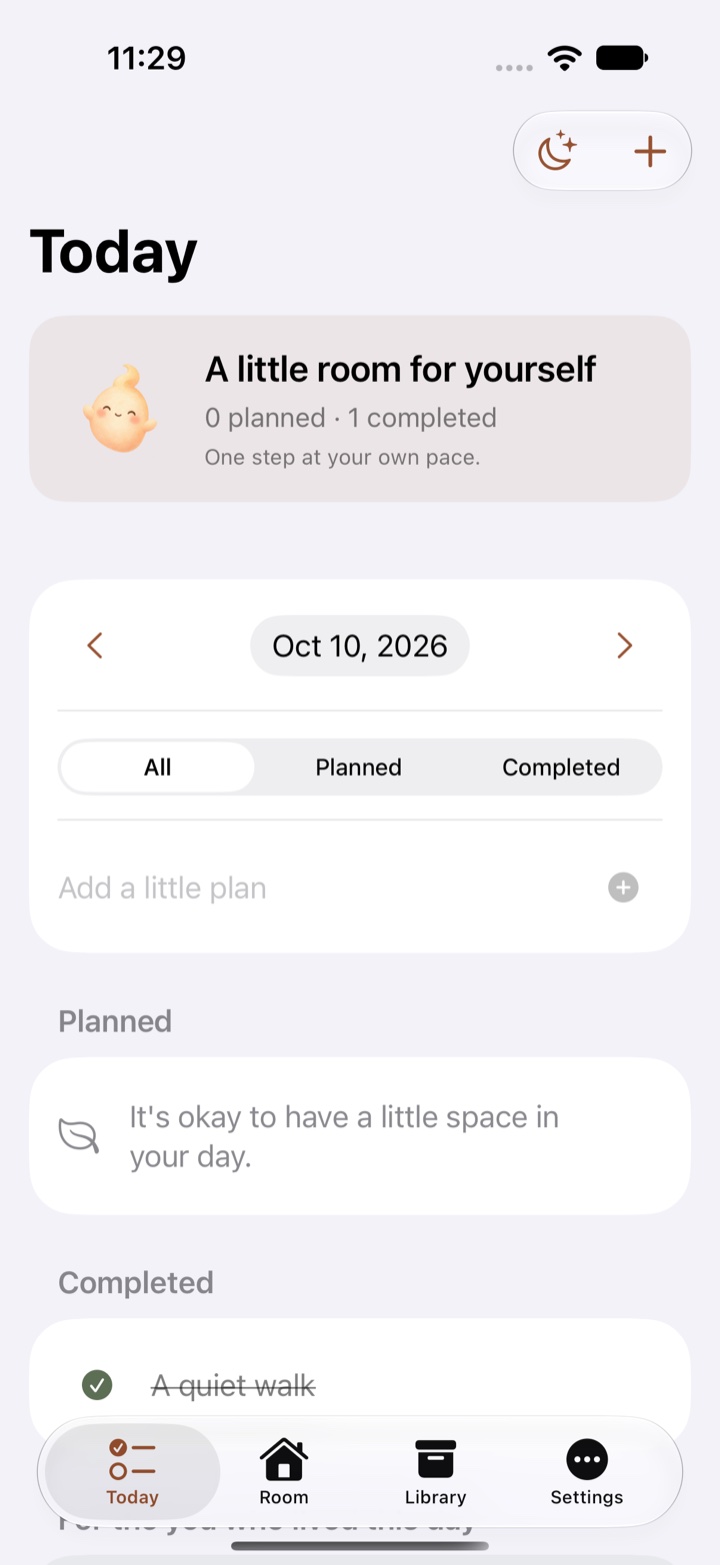
Check your plans and completed moments in Today. Finish your day or take a rest, with four familiar tabs close at hand.
Version 1.3 · English interface · Preview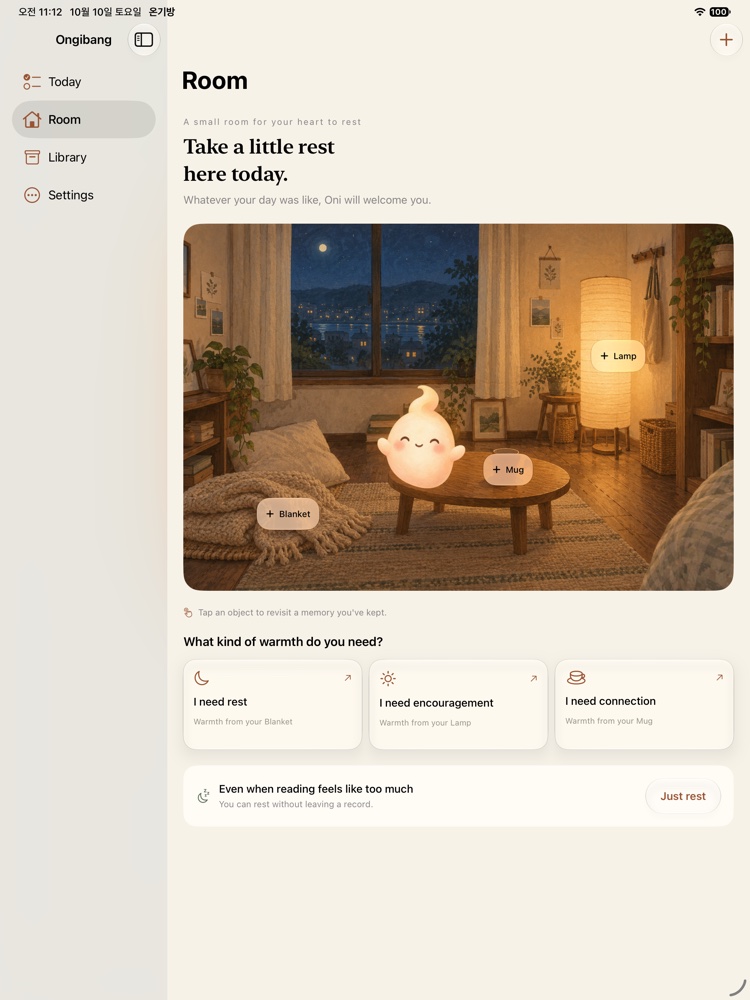
Enjoy your room and memories together.
Version 1.3 · English interface · Preview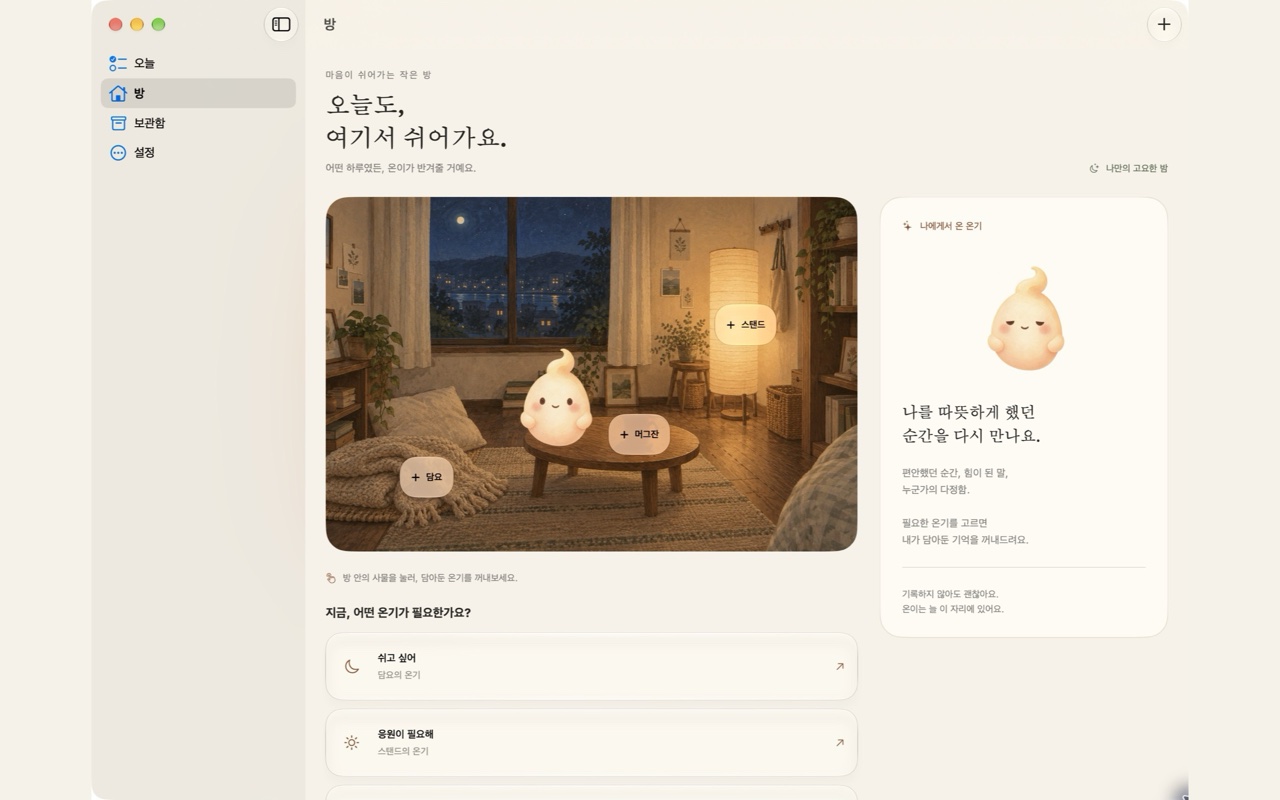
More room to read, with keyboard and pointer support.
Version 1.3 · Korean interface · PreviewActual version 1.3 previews: iPhone and iPad in English, Mac in Korean. Your own writing is never translated.
Memories you choose
Either text or one photo is enough. Memories default to Archive only. Only the memories you assign to rest, encouragement or connection appear in that comfort flow.
Chosen photos are copied into the app. Deleting the original won't remove your saved memory.
Version 1.3 backups include memories, photos, plans and reflections, and accept version 1.1 backups. Version 1.0 backups are not automatically converted. Exported JSON files are not encrypted.
A minute, just for you
A quiet room, Oni by your side, and sixty seconds without sound.
How rest works →Version 1.3 · Awaiting App Store review · Current release: 1.1 in Korean.
No. You can visit your room and rest without leaving a record. There are no streaks or penalties.
No. Only memories you explicitly assign to a kind of warmth appear there. Archive only keeps them in your library.
Version 1.3 adds optional private iCloud sync. Version 1.1 stores each device's records independently; use a backup to move them.
No. This demo uses examples, and the rest session lasts only during your visit. There are no forms for personal writing or photos.
Read the support guide or email todaklife@gmail.com.